


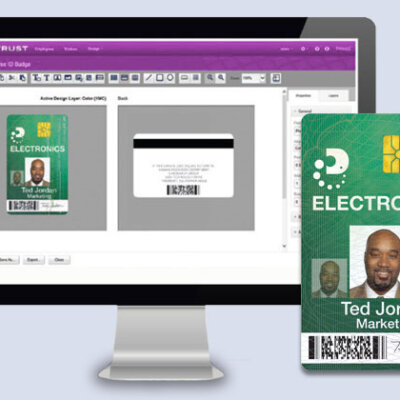
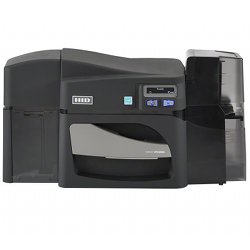
Design ID cards anytime, anywhere with intuitive, drag-and-drop templates and workflows.
Create custom design templates and workflows and unique user profiles.
Modular solutions can be added to existing systems to provide new technologies with minimal investment.
Install and license on a single server, then remotely deploy and manage users and data.
Access pre-built smart card configurations and comprehensive reporting.
Works with Chrome, Microsoft Edge, Windows 11, Windows 10, Windows Server, MS Access, SQL Server, Oracle, DB2, Active Directory Systems, and RESTful Web Services.
On Prem: https://www.entrust.com/issuance-systems/products/software/entrust-adaptive-issuance-instant-id
For Instant ID on Premise, you can go with the Professional version of Instant ID.
On Cloud: https://www.entrust.com/issuance-systems/products/software/entrust-adaptive-issuance-instant-id-as-a-service
Instant ID as a Service (On Cloud) is quoted by usage based model
Do not install Entrust Instant ID software on a computer that also runs other Adaptive Issuance Suite software. Entrust Instant ID software uses a custom version of software to provide smart card personalization, and its components overwrite any components currently installed. As a result, the existing software installation no longer works. Remove software before installing Entrust Instant ID software. Earlier versions of Entrust Instant ID software used custom Syntera® Customization Suite (SCS) software components, which also must be removed.
Do not install Entrust Instant ID software on a computer that also runs Datacard® ID Works® identification software or Datacard® IDCentre™ software, if the two software applications connect to the same database table and columns.
Software Requirements
A system running Entrust Instant ID must meet the requirements described in this section.
Operating Systems
Entrust Instant ID software supports the following 64-bit operating systems with the latest service pack installed:
Windows 10
Windows 11
Windows Server 2012 R2
Windows Server 2016
Windows Server 2019
Windows Server 2022
Operating Systems for Mobile Enrollment
Android version 4.4 or newer
Apple iOS version 12.0 or newer
Windows 10
Windows 11
Browsers
Google Chrome version 78 or newer
Microsoft Edge version 42 or newer
Apple Safari version 11 or newer (iOS only)
For best results, maximize the browser window when using Entrust Instant ID software.
Databases
The internal H2 database is created when you install Entrust Instant ID software.
External databases that use one of the following database managers:
Oracle 11g R2, 12c, 19c
Microsoft SQL Server 2008 R2
Microsoft SQL Server 2012
Microsoft SQL Server 2014
Microsoft SQL Server 2016
IBM DB2 11.1
MySQL 5.7
MySQL 8.0
Refer to the online Help for information about how to connect Entrust Instant ID software workflows to database tables, and for database actions that are supported.
Hardware Requirements
A computer with a 64-bit processor
Minimum screen resolution of 1360 × 768
1 GB of available computer hard drive space
8 GB RAM minimum is required
An available software port (9800 is the default)

Reviews
There are no reviews yet.