

A Practical Guide for IT & Security Teams Managing Secure ID Card Printing
For organizations operating secure environments—healthcare systems, government facilities, manufacturing plants, and high-tech campuses—ID badges are more than visual identifiers. They are a critical component of both physical and logical access control.
Yet many teams still rely on manual workflows: printing a badge, then separately entering card numbers into the access control system. That approach introduces delays, increases the risk of errors or typos, and creates uncertainty operational process.
A more efficient model is to read and/or encode access control credentials for ID card printing. This guide walks through how that works, what you need to implement it, and where to pay close attention before purchasing equipment through IDSuperShop.
Inline Encoding of Printed ID Cards
At a high level, the goal is simple: When a badge is printed, it is immediately ready to open doors, authenticate users, and function across your systems—without additional manual steps.
To accomplish this, your ID card printing system needs to:
- Capture or assign a credential number
- Associate that number with a user record
- Ensure the badge is functional upon issuance
The 3 Required Components
A working solution always includes:
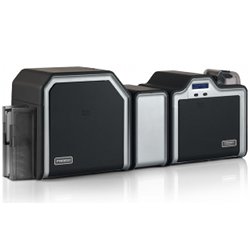
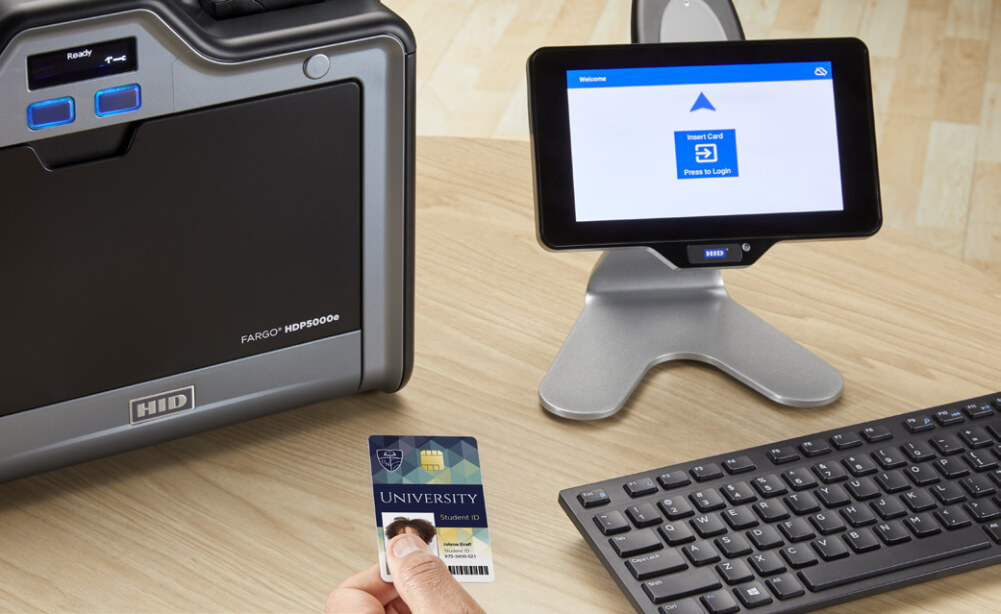
1. ID Card Printing with Inline Encoder
You’ll need a printer that supports embedded encoder modules capable of interacting with access control cards during the print cycle.
These encoders allow the printer to:
- Read card data (e.g., prox CSN)
- Write data to smart card memory (if supported)
When evaluating printers on IDSuperShop, look for:
- LF (125 kHz) encoder options
- HF (13.56 MHz) encoder options
- Field-upgradeable modules
- Compatibility with your card type
Not all printers include encoders by default—this is a configuration decision at the time of purchase or upgrade.
2. Access Control Cards (Credential Type Matters)
Your card technology determines what’s possible during printing.
Low Frequency (125 kHz Prox)
- Widely used in legacy systems
- Read-only (cannot be encoded)
- The printer can capture the card number during printing
Typical use case:
Automatically read the CSN and send it to your access control database.
High Frequency (13.56 MHz Smart Cards)
These are standard in modern secure environments and support advanced functionality.
Common technologies include:
- iCLASS (secure sector-based memory)
- Seos (AES-encrypted, mobile-ready credentials)
- MIFARE DESFire EV1/EV2/EV3 (highly secure, multi-application cards)
Specifications:
- Frequency: 13.56 MHz
- Standards: ISO/IEC 14443 or ISO/IEC 15693
- Encryption: AES / 3DES (depending on card type)
- Memory: Structured, application-based
These cards can be:
- Read during printing
- Fully encoded with secure data (if keys and software are configured correctly)
FIDO2 Credentials (Logical Access)
Some organizations—especially in high-tech and government—extend badge usage into passwordless authentication environments.
- Standard: FIDO2 / WebAuthn
- Use case: Workstation and network login
- Requirement: Integration with identity management systems
This goes beyond printing and requires coordinated software infrastructure.
3. Software (The Most Important—and Overlooked—Layer)
Even with the right printer and cards, your workflow depends on software that can:
- Communicate with the encoder
- Capture or write credential data
- Update your access control system database
Two Common Software Approaches
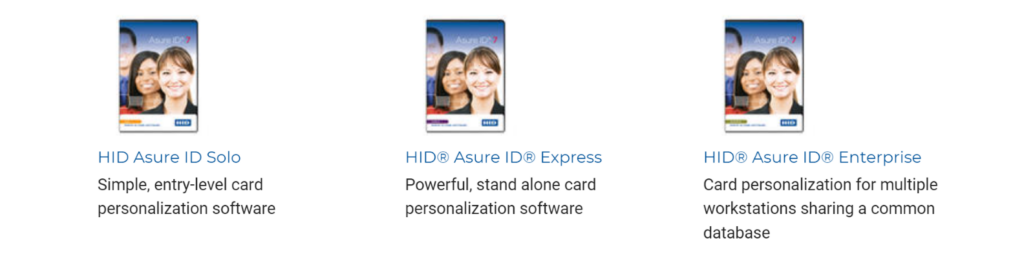
A. Standalone Badge Issuance Software
This is the most flexible approach for encoding workflows.
Benefits:
- Direct control over encoding hardware
- Advanced data mapping
- Database integration
- Works well in multi-system environments
Asure ID Exchange is the preferred option when you need:
- Smart card encoding
- Custom data structures
- Greater control over the issuance process
B. Access Control System (PACS) Integration
Many organizations rely on their existing PACS for badge issuance.
This is convenient—but often limited.
Common constraints:
- Restricted encoder compatibility
- Vendor-specific hardware requirements
- Limited ability to write to card memory
- Inconsistent support for reading card numbers during print
Example scenario:
Some PACS platforms require a proprietary encoder configuration, even if a standard encoder appears technically identical.
Real-World Workflow Example
A common question from IT teams:
“Can we automatically capture a prox card number during printing so we don’t have to enter it manually?”
The Answer:
Yes—if your system is configured correctly.
What You Need:
- Printer with a 125 kHz encoder module
- Compatible prox cards
- Software capable of:
- Reading the CSN during print
- Writing that value to your database
Key Insight:
The printer handles the read—but your software must handle the data integration.
Where Most Deployments Fail
Based on real-world implementations, issues typically occur when:
- The printer encoder doesn’t match the card type
- The software can’t communicate with the encoder
- The PACS doesn’t support automatic data ingestion
- The card technology is misunderstood (read vs write limitations)
These are not hardware failures—they’re integration gaps.
Why This Matters for Secure Environments
For organizations operating secure campuses, this workflow directly impacts:
- Onboarding speed (badges work immediately)
- Security accuracy (no mismatched credentials)
- Operational efficiency (less manual handling)
- Compliance readiness (audit-friendly processes)
This is especially critical in:
- Healthcare (HIPAA, controlled access areas)
- Government (regulated facilities)
- Manufacturing (restricted production zones)
- High-tech (IP protection, device access)
Before You Purchase
If you’re building or upgrading your system through IDSuperShop, take a moment to validate:
- Your access control card type (prox vs smart card)
- Your printer encoder requirements (LF, HF, or both)
- Your software capabilities (read/write + database integration)
- Any PACS-specific hardware dependencies
Some IT and security teams assume they will figure it out by reading the manual for each component—but the success of the solution depends on how they work together.
Need a Second Set of Eyes?
Most IT and security professionals prefer to research and spec solutions independently—and that’s exactly how IDSuperShop is designed.
That said, encoding workflows can get technical quickly. If you want to confirm compatibility before purchasing:
- Call or chat with our team to review your current system details
- Ask for guidance on encoder configurations
- Review all components for compatibility and support plans for success
Our support team can help you validate the full workflow so everything works as expected when it arrives even if some components were sourced somewhere else.
FAQ
Can I encode cards with any ID card printer?
No. You need a printer with a compatible encoder module installed.
Can prox cards be encoded during printing?
No. They are read-only. You can capture the card number, but not modify it.
Which cards support encoding?
High-frequency smart cards such as iCLASS, Seos, and MIFARE DESFire.
Can my access control system handle this automatically?
Some can, some can’t. It depends on:
- Your PACS platform
- Supported encoders
- Database integration capabilities
Is standalone software better than PACS for ID card printing?
For encoding and flexibility—yes.
For simplicity—PACS integration may be sufficient.
What’s the biggest mistake to avoid?
Assuming all components will work together without verifying compatibility first.
Final Takeaway
Reading and encoding badges during the print process is one of the most effective ways to modernize credential issuance in secure environments. When properly implemented, it reduces manual work, improves accuracy, and ensures every badge is functional from day one.
IDSuperShop gives you direct access to the hardware, cards, and software needed to build this solution—while still providing expert support when you need it. For a complete consultation contact our solutions team.