
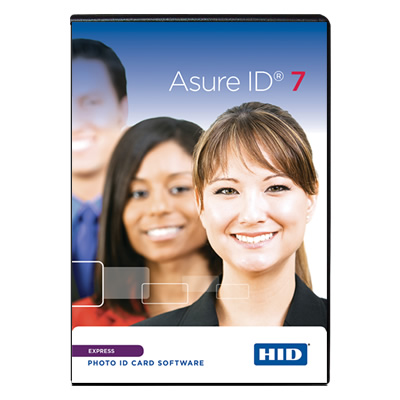

HID Asure ID 7 Express ID Card Software — Features and Benefits
HID Asure ID 7 Express is a powerful, standalone ID card design and personalization software solution for organizations that need more flexibility than entry-level ID software can provide. It combines advanced card design, photo capture, database connectivity, reporting, and efficient batch printing in one application.
Express is well suited to businesses, schools, healthcare facilities, manufacturers, and other organizations that produce employee, student, contractor, or membership ID cards. It supports sophisticated card layouts, variable data, conditional design and printing rules, 2D barcodes, integrated signature capture, and connections to supported external data sources.
Important: Express is designed for installation on a single workstation. It offers more advanced design and data-management capabilities than Asure ID Solo, but it does not provide the shared, multi-workstation environment of Enterprise or the advanced database integration and smart card encoding capabilities associated with Exchange. Organizations with more complex requirements should compare the available editions before purchasing.
Key Features and Benefits
Advanced ID Card Design
Create professional ID cards with flexible design tools, dual-sided templates, variable and static text, photo fields, and imported logos or graphics. Compound data fields let you combine information from multiple fields into a single displayed value, helping you build more useful and consistent card layouts.
Efficient Batch and Sheet Printing
Print multiple personalized cards more efficiently using batch and sheet printing capabilities. This is especially useful for onboarding groups of employees, issuing student IDs, producing contractor badges, or managing periodic card replacement programs.
Conditional Design and Printing Rules
Configure conditional rules that change card design elements or printing behavior based on record data. This can help organizations produce different badge layouts for departments, employee categories, membership types, or other groups without manually designing every card individually.
External Database Connectivity with Live Link
Asure ID Express includes Live Link functionality for connecting card production to supported external databases. This can reduce repetitive data entry and help keep printed credentials aligned with information maintained in an existing system. Express supports a single database and single table through Live Link, so organizations with more complex data structures should review the capabilities of Enterprise and Exchange.
Photo Capture and Image Management
Capture cardholder photos using compatible imaging devices and supported TWAIN, DirectShow, or WIA interfaces. Associate photographs with individual records, save photos to folders using custom naming options, and use existing image files in the card production process.
2D Barcodes and Linear Barcodes
Design cards using linear barcodes and supported two-dimensional barcode formats, including QR codes and PDF417. Barcode functionality depends on the application requirements, data format, card layout, and the scanning equipment used by the organization.
Integrated Signature Capture
Express supports integrated signature capture for applications where a cardholder’s signature is part of the identification or credentialing process. Compatible signature-capture hardware and configuration may be required.
Magnetic-Stripe and Fluorescing Panel Support
Design cards that incorporate magnetic-stripe fields and supported F-panel elements. Actual printing or encoding depends on the compatible printer, encoder, consumables, card stock, and required configuration.
Reporting and Data Export
Filter, sort, and group records to create standard or custom reports. Export reports and work with supported Microsoft Excel, text-file, and ODBC import/export workflows to support record management and operational reporting.
Password Protection and User Permissions
Express supports password-based log-in and definable user privileges, including controls over access to application modules and card templates. These features can help organizations manage who can access particular software functions and design resources.
Intuitive Interface and Print Preview
The interface supports efficient movement between card design and data entry, with tabbed navigation and pop-out control palettes. A true-to-output preview helps users review card layouts, images, and data fields before printing.
Printer Compatibility and Software Updates
Asure ID Express is compatible with HID FARGO ID card printers and other popular card printers. The software includes notifications about available free updates, with optional annual or multi-year support packages available.
Technical Specifications
- Software: HID Asure ID 7 Express
- Product type: Standalone ID card design and personalization software
- Delivery: Digital software license delivered by email
- Installation: Single workstation
- Operating system: Windows 10 and Windows 11
- Database connectivity: Built-in database options and supported Live Link connections
- Live Link: Real-time data exchange with one database and one table
- Database compatibility: Supported Microsoft Access versions and compatible ODBC data sources, subject to configuration
- Card design: Dual-sided templates, variable and static text, photos, logos, and graphics
- Data fields: Unlimited data fields supported
- Advanced design: Compound fields and conditional design and print rules
- Barcode support: Linear and supported 2D barcodes, including QR code and PDF417
- Additional card features: Magnetic stripe and supported fluorescing panel design
- Photo capture: Compatible TWAIN, DirectShow, and WIA devices
- Signature capture: Integrated signature capture supported
- Printing: Batch and sheet printing
- Reporting: Standard and custom reports, filtering, sorting, grouping, and export
- Data exchange: Supported Excel, text-file, and ODBC import/export workflows
- Security: Password log-in and definable user privileges
- Printer compatibility: HID FARGO printers and other compatible card printers
Who Should Choose Asure ID Express?
Express is a strong option for organizations that need more than basic ID card printing but do not require a shared, multi-user card production environment.
- Corporate offices: Produce employee and contractor badges with department-specific layouts, photos, barcodes, and personalized information.
- Healthcare facilities: Create staff and department IDs with consistent designs and efficient batch issuance.
- K-12 schools and higher education: Personalize student, faculty, staff, and campus identification cards.
- Manufacturing and distribution: Issue employee and contractor badges with defined data fields and consistent card layouts.
- Membership organizations: Produce personalized member cards with photos, identifiers, and supported barcodes.
- Hospitality and service organizations: Manage employee identification and other routine credential-printing requirements.
- Organizations using existing databases: Connect card production to supported data sources to reduce manual entry and improve consistency.
The best fit depends on your card volume, data sources, reporting requirements, security policies, printer hardware, and whether card issuance needs to be shared across multiple workstations.
When Should You Consider a Higher Edition?
Express offers substantial flexibility, but it is not intended to meet every enterprise credentialing requirement. Consider another edition if your organization needs any of the following:
- Shared, multi-workstation operation: If multiple users need to access a common cardholder database, consider Asure ID Enterprise.
- Complex database integration: If your application requires connections involving multiple databases or tables, or more advanced integration workflows, evaluate Asure ID Exchange.
- Advanced smart card encoding: If you need supported smart card encoding and iDIRECTOR functionality, evaluate Asure ID Exchange and confirm compatibility with your credential technology and encoding hardware.
- Enterprise-wide credential management: If you need coordinated card production across multiple facilities or departments, review the database architecture and multi-user capabilities of the higher editions.
Compare the Asure ID Software Editions
Asure ID Solo — Entry-Level ID Card Software
Best for basic card design and personalization when the built-in database limit of 200 records and entry-level feature set are sufficient.
Asure ID Express — Advanced Standalone ID Card Software
Best for organizations that need advanced card design, batch printing, reporting, conditional printing rules, and supported external database connectivity from a single workstation.
Asure ID Enterprise — Networked ID Card Production
Designed for organizations that need shared cardholder data and multi-workstation operation.
Asure ID Exchange — Advanced Integration and Smart Card Encoding
Designed for more demanding applications involving advanced database integration and supported smart card encoding functionality.
Choosing the right edition at the beginning can help avoid unnecessary software changes as your ID card program expands.
Digital Delivery and Ordering Information
Asure ID 7 Express is a digital software product. The license key is delivered by email, and no physical software package is required for delivery.
Please confirm that Express meets your requirements before placing your order. Software sales are final and are not returnable. If your requirements include multi-user operation or advanced database integration, review Enterprise and Exchange before purchasing.
If you need help selecting the right version, contact IDSuperShop before ordering. We can help you evaluate your card design requirements, existing databases, printer and encoder hardware, and anticipated growth to identify the appropriate software edition.
Find more Asure ID Card Software with ID Supershop.



ANNA B. –
Works great, we installed the demo version same day and got our full license 2 days later
Deb K. –
Our hospital ordered this software and we were able to start designing badges for each department the same day