

HID FARGO DTC1250e Dual-Sided ID Card Printer — Features and Benefits
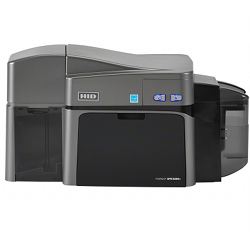
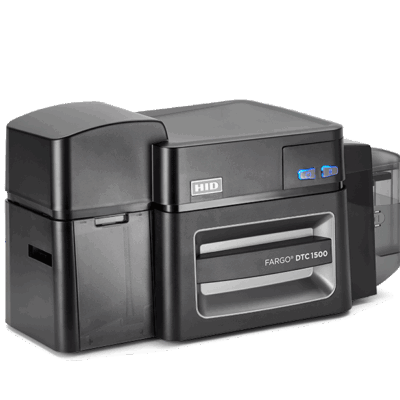
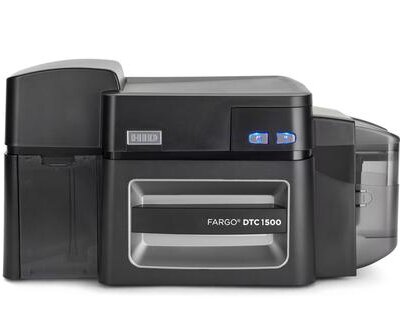
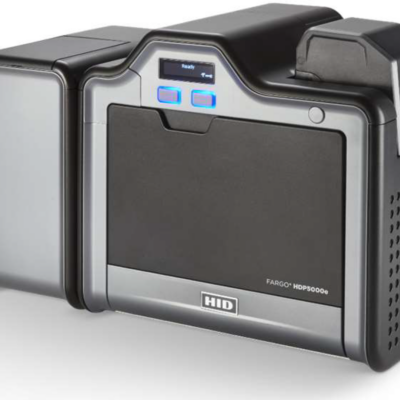
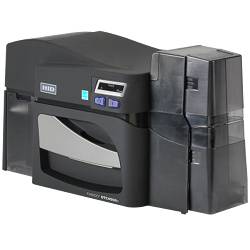
The HID FARGO DTC1250e dual-sided ID card printer is a compact, direct-to-card printing solution for organizations that need professional-quality identification cards with personalized information on both sides. Designed for small and midsize organizations, it combines full-color printing, straightforward operation, and flexible configuration options in a desktop printer.
Printing on both sides of a card allows organizations to place a photo, name, logo, and primary identification details on the front while using the back for barcodes, contact information, terms of use, emergency details, or other supporting data. This makes the dual-sided DTC1250e a practical choice for employee badges, student IDs, membership cards, contractor credentials, and other applications that benefit from more usable card space.
The DTC1250e uses dye-sublimation and resin thermal-transfer printing to produce detailed photos, logos, text, and barcodes. Optional configurations can add Ethernet connectivity, magnetic-stripe encoding, or compatible smart card encoding. The exact capabilities depend on the selected printer configuration and installed options.
Important: This product is the dual-sided printer configuration. Ethernet and electronic credential encoding may require additional options and are not necessarily included with every SKU. Confirm the selected configuration before ordering.
Key Features and Benefits
Dual-Sided ID Card Printing
Print personalized information on both sides of a card in one printing workflow. Use the front for the cardholder’s photo, name, title, ID number, and organization branding, and the back for barcodes, additional information, or instructions. Dual-sided printing is particularly useful when a single card must serve multiple identification or operational purposes.
Professional Full-Color Printing
Produce photo IDs with detailed images, clear text, company logos, and personalized cardholder information. Dye-sublimation technology creates full-color images, while resin thermal transfer supports crisp monochrome text, barcodes, and graphics.
Fast, Efficient Card Production
The DTC1250e can print a full-color YMCKO card in approximately 16 seconds, with rated output of up to 225 cards per hour under specified conditions. Actual throughput depends on card design, print settings, encoding requirements, and the time needed to prepare and handle cards. Printing on both sides may affect the production rate depending on the ribbon configuration and print job.
300 dpi Printing Resolution
The printer delivers continuous-tone printing at 300 dpi, producing detailed photographs, logos, text, and standard ID card graphics. Supported optimized print modes depend on the driver and configuration.
Compact Desktop Design
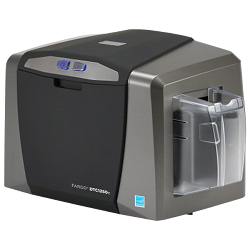
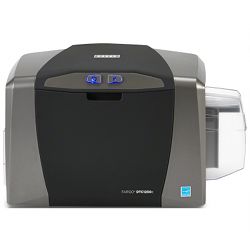
The DTC1250e fits into many office environments without requiring a dedicated production area. It is suitable for reception areas, administrative offices, school ID stations, membership desks, and other locations where staff issue cards on demand.
Built-In Badging and Maintenance Tools
Swift ID badging functionality supports basic card creation, while FARGO Workbench provides printer diagnostics, maintenance utilities, and supported color-management tools. Organizations with more advanced card design, database, or credentialing requirements can use compatible ID card software separately.
SmartScreen Controls
The user-focused control interface helps operators monitor printer status and perform routine setup and maintenance tasks. Clear status indicators simplify everyday operation for staff who may only print cards periodically.
Data Protection
AES-256 encryption helps protect data transmitted to the printer over a supported secure network connection. This is a useful security feature for organizations printing credentials containing personal information. Actual protection depends on the network configuration and the organization’s security practices.
Energy-Efficient Operation
The DTC1250e is ENERGY STAR certified and incorporates power-management features designed to reduce energy consumption during periods of inactivity.
Optional Encoding and Connectivity
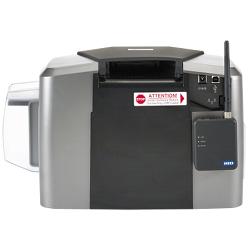
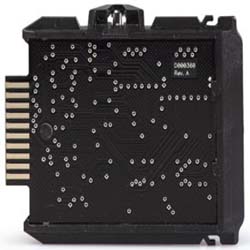
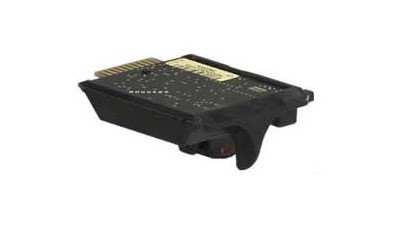
Depending on the selected configuration, the DTC1250e platform supports magnetic-stripe encoding, contact or contactless smart card encoding, proximity credential programming, and Ethernet connectivity. Confirm the exact printer model, installed options, card technology, and access control system requirements before ordering.
Technical Specifications
- Manufacturer: HID Global
- Printer model: FARGO DTC1250e
- Product configuration: Dual-sided ID card printer
- Print technology: Dye-sublimation and resin thermal transfer
- Print resolution: 300 dpi continuous-tone printing; supported optimized modes depend on configuration
- Full-color print speed: Approximately 16 seconds per YMCKO card under specified conditions
- Rated full-color output: Up to 225 cards per hour under specified conditions
- Card sizes: CR-80 standard ID cards and CR-79 adhesive-back cards
- Supported card thickness: Approximately 9–40 mil, subject to card type and configuration
- Input hopper capacity: Up to 100 cards at standard 30 mil thickness
- Output hopper capacity: Up to 30 cards at standard 30 mil thickness
- Standard connectivity: USB 2.0
- Optional connectivity: Ethernet with internal print server; wireless accessory compatibility depends on configuration
- Security: AES-256 data encryption over a supported secure network connection
- Badging software: Swift ID functionality
- Maintenance software: FARGO Workbench diagnostic and maintenance utility
- Optional encoding: Compatible magnetic-stripe, contact smart card, contactless smart card, and proximity encoding options
- Warranty: Three-year standard limited printer warranty, subject to manufacturer terms
Specifications and supported options may vary by configuration. Verify compatibility with the selected printer, driver, card stock, encoding module, and operating environment before purchase.
Compatible Cards and Applications
The DTC1250e supports compatible PVC and composite cards with an appropriate PVC printing surface. It also supports CR-79 adhesive-back cards and compatible rewritable cards for supported monochrome printing applications.
- Employee ID badges: Print photos, names, titles, departments, company branding, and supporting information or barcodes on the reverse.
- Student and faculty IDs: Produce school identification cards with student information on the front and barcodes or supplementary details on the back.
- Contractor and visitor credentials: Create identification cards with relevant instructions, return information, or other supporting details on the reverse.
- Membership cards: Print personalized membership information, logos, barcodes, and terms of use.
- Healthcare identification: Produce staff and departmental IDs with additional information where appropriate for the organization’s policies.
- Manufacturing and distribution: Issue personnel badges with identification details and supplementary information for facility use.
- Hospitality and event credentials: Print identification or membership-style cards with additional information on the back.
For applications that require electronic access control, verify that the selected printer includes the appropriate encoding hardware and supports the credential technology used by your access control system. Printing a photo ID card does not, by itself, program an electronic access credential.
Optional Upgrades and Configuration Choices
The DTC1250e platform offers several configuration options. Not all are included with every dual-sided printer SKU, so review the product configuration before purchasing.
- Magnetic-stripe encoding: Add a compatible encoder if your application requires magnetic-stripe data.
- Smart card encoding: Select compatible contact or contactless encoding hardware for supported electronic credentials.
- Proximity credential programming: Confirm compatibility with the required credential technology and supported encoder module.
- Ethernet connectivity: Consider a network-enabled configuration if you need to print over a local network.
- Wireless connectivity: A compatible wireless accessory may be available for supported Ethernet-enabled configurations.
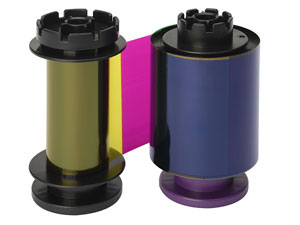
- Printer ribbons and cleaning supplies: Use compatible consumables and follow manufacturer maintenance recommendations to support print quality and reliable operation.
Choosing the Right ID Card Printer
The DTC1250e is a direct-to-card printer, which prints directly onto the card’s surface. It is an effective option for many standard PVC employee, student, and membership ID cards.
Choose a dual-sided printer when your cards need information on both sides and you want to automate the process. A single-sided printer may be sufficient if all essential information fits on the front. For applications that require a wider range of card materials, extensive edge-to-edge coverage, or other specialized capabilities, consider whether a retransfer printer would be a better fit.
If your organization needs shared card production across departments, advanced database integration, or electronic credential encoding, evaluate the complete system—including printer configuration, ID card software, encoding hardware, and existing business or access control systems—rather than selecting a printer based on print speed alone.
Warranty and Support
The HID FARGO DTC1250e includes a three-year standard limited printer warranty, subject to the manufacturer’s terms and conditions. Routine cleaning, compatible consumables, and proper card handling help maintain consistent print quality and reliable operation.
FARGO Workbench provides diagnostic and maintenance tools to help users manage printer operation. For more complex applications, confirm that the card design software, computer operating system, printer driver, and optional encoding modules are compatible with one another.
Need Help Selecting the Right Configuration?
The right printer configuration depends on the types of cards you need to produce, the information required on each side, your expected print volume, preferred connectivity, and whether electronic credential encoding is necessary.
Contact IDSuperShop if you need help evaluating printer options, compatible ribbons and cards, ID card software, or encoding requirements. We can help you identify a configuration that fits your current ID program and anticipated needs.




Reviews
There are no reviews yet.